A Little Intro
Just documenting and sharing a bit about this side project I developed :3 and padding my blog's post count since it's been gathering dust
This post will start with the app's features and how to use it, followed by a discussion on development and PWA.
Also, this post focuses more on the introduction rather than a deep-dive tutorial. For those interested in technical details, I recommend checking out resources written by others or Google's official PWA guide (https://web.dev/progressive-web-apps/).
Fake-phone-screen Introduction
What is this, and is it edible?
Basically, you'll know as soon as you click it XD
https://fake-phone-screen.netlify.app
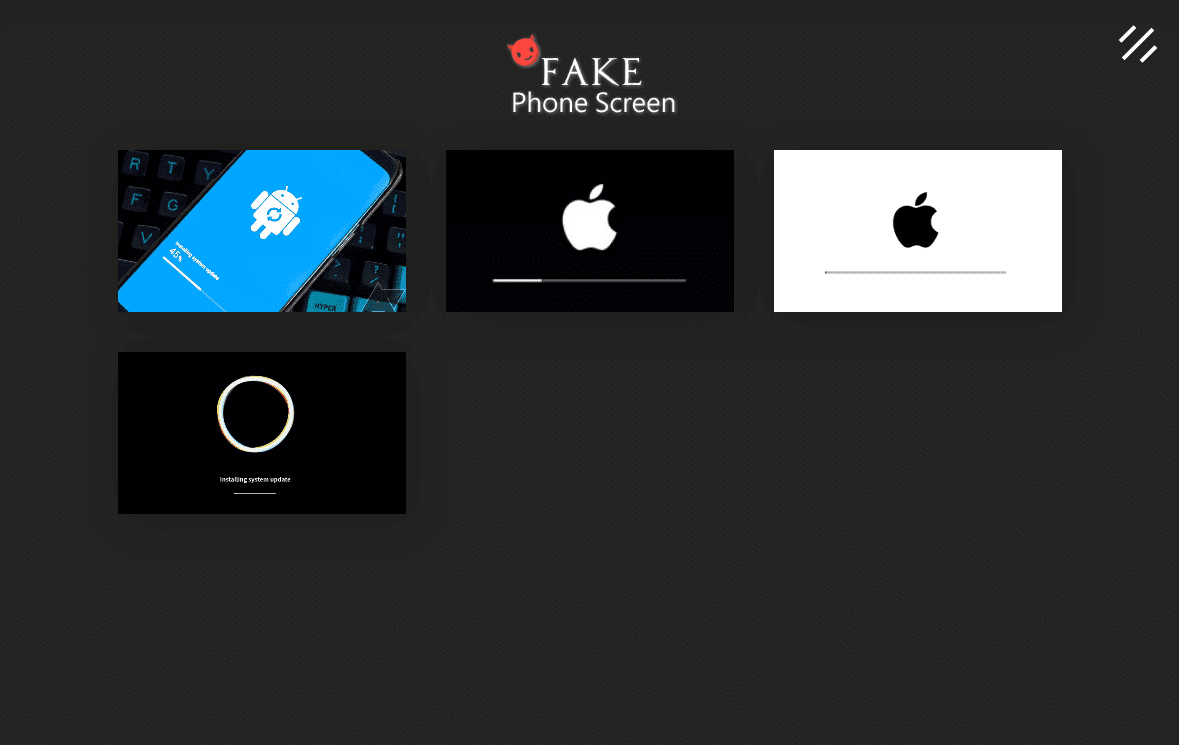
In short, it's an app that displays various full-screen phone update animations, allowing you to trick your friends by saying:
"Oh, my phone is updating."
Yep, that's it. It's pretty useless, but I think it's hilarious XDDD
Actual Operation

Made 💖 with
- React JS
- GSAP (HTML5 JavaScript Animation Library)
Features
- Easy to use, no installation requiredThanks to the increasingly advanced PWA (Progressive Web App), web pages developed in this mode can be easily installed on your phone, providing a native app-like browsing experience.We'll save the PWA introduction for the latter part of the article along with the development journey~
- Supports full-screen (including hiding the status bar)Seamless full-screen, no flaws (X
- Cross-platformSupports
Android,iOS, andWindows App. - Currently includes four themes
- Samsung update screen
- iOS update (White)
- iOS update (Black)
- Native Android update (or Pixel/Nexus update)
How to use in the browser
- Install the Chrome browser (version 67 or higher).
- Go to https://fake-phone-screen.netlify.app/
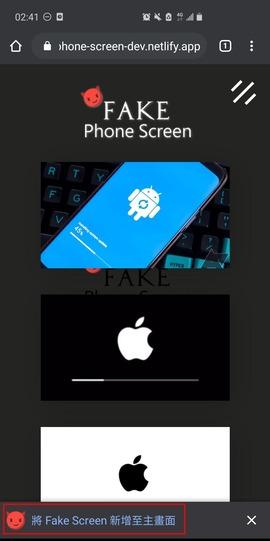
- The browser will automatically prompt you to install it to your home screen.
- If not, you can click the three dots in the corner and select "Add to Home Screen."
Once installed, you can just tap the app and start playing!

Follow the PWA installation prompts.
 |
 |
APK Installation
There is also an APK packaged via PWA TWA available for installation.
You can refer to the Release Page of my GitHub Repo.
However, it isn't signed or published on the store, so remember to enable "Install from unknown sources" to install it.
Project Development Journey & Thoughts
Origin
The origin is actually quite simple: it was just for fun.
Years ago, a senior from my lab and college, a frontend expert named shizuku, created a Fake Screen project for fun.
It featured various web pranks like Windows updates, Windows 10 blue screens, and even WannaCry, which I found incredibly interesting.

A few years passed, and while feeling frustrated with my master's research (lol), I looked at my Samsung S10 update screen and wondered if I could bring a similar concept to mobile.
Coincidentally, I heard about the recent PWA updates and its convenience. Plus, it had been a while since I wrote React, so I decided to pick it up again and play with PWA, and thus this project was born XD
Brief Journey
I mainly referenced the architecture of the aforementioned fake-screen, adding various mobile themes and PWA support.
There are currently four themes.
I spent the most effort on the Google native update circle, and I suddenly wanted to create a cool navigation fly-in animation.
So, I looked at various design references and studied the GSAP Animation Library.
For the React part, I started using Hooks, which is different from the class/state methods I used years ago. I gained a lot more insight from this.

Areas for Improvement
The themes were fine, but the GSAP animation really gave me a headache.
The three-line fly-in animation looks something like this:
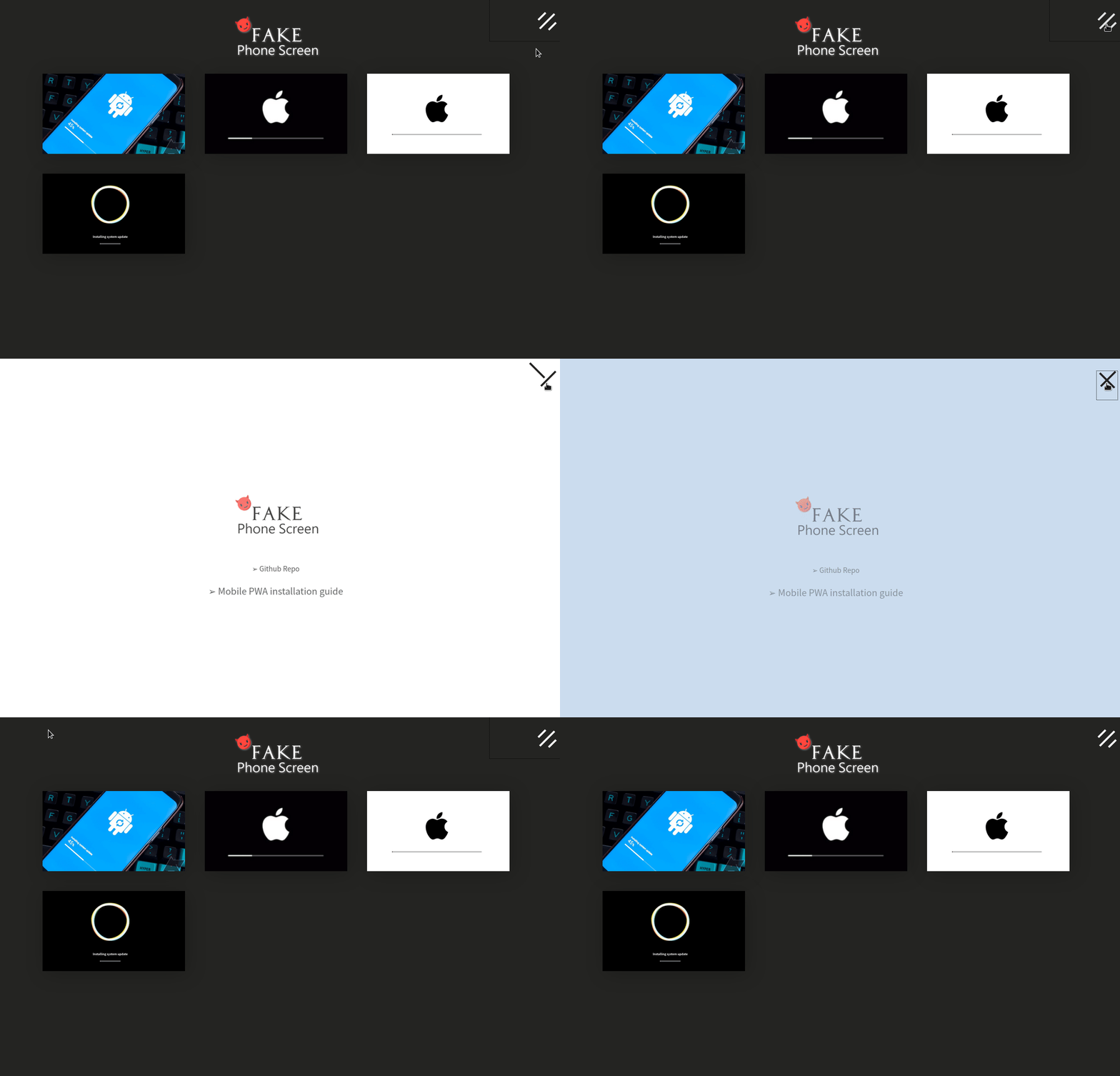
The specific method was to create three large white parallel blocks and use CSS transform & GSAP Animation to achieve the fly-in/fly-out effect.
However, because I needed to account for RWD, calculating the displacement and rotation for the settings area was difficult. With my limited experience, I ended up constantly trying & erroring and adjusting the responsive CSS.
To be honest, this is a temporary fix. While a typical user wouldn't encounter continuous screen resizing, any dragging (like zooming) would reveal the hidden white blocks, and subsequent transforms would be affected.
Although I tried to make the white blocks fly out as far as possible, it easily affected the parts that should have been covered by RWD.
A possible solution would be to hide them after they fly out a certain percentage, and when flying in, re-set the position according to the current coordinates and screen size before flying in.
A comprehensive calculation solution would likely be much more difficult.
PWA
What is PWA?
Simply put, it's a Web App that can be driven and packaged through a browser.
It possesses native app-like operations and screens (such as full-screen, icons, splash screens, or custom icons).
And these are very easy to implement; you just need to adjust the manifest.json in your web page.
manifest.json is the "only" file that must be included in all extensions using the WebExtension API. It provides basic metadata for the extension, such as name and version, and can also specify other features, e.g., background scripts, content scripts, browser actions.
You can also directly use many existing web favicon and logo settings.
It's fast to install on mobile, and because it's browser-driven, it supports cross-platform.
Version updates are handled just like web pages, without needing to change too many client-side settings or re-publish the app.
Haven't Web Apps been around for a long time?
That's true. In fact, many people have always tried to package Web Apps or turn them into Native Apps.
This way, they can easily have cross-platform capabilities, and the code doesn't need to be compiled or tuned for each mobile platform individually.
It reduces a lot of burden in terms of processes and procedures.
Before PWA appeared, PhoneGap was a development framework that implemented the above ideas.
I remember taking a class on this at NCKU in high school... and I even taught it once in a club in college.
But after actual experience, PhoneGap still had many inconveniences. To apply some mobile functions, you had to learn the PhoneGap framework, which actually created more overhead for developers.
On the other hand, it was also because the hardware and mobile browser capabilities at that time were not up to today's standards, so the performance of browser-driven apps was really poor.
After PWA was launched, due to its convenience and standardization, PhoneGap gradually declined, and Adobe, which acquired it, stopped maintenance and investment.

What about Hybrid Apps?
Hybrid, as the name suggests, combines the features of Native & Web, while also having native functions.
At this stage, React Native and Flutter are quite popular choices.
- React NativeIt was a very popular choice early on and the most well-known language when Hybrid Apps first started.Based on JavaScript's React ecosystem, those familiar with React should learn it faster (Me: Is React easy to learn? (゚∀。)Supported by Facebook and the community, Airbnb once chose it as their top choice for development (though they eventually returned to Native Apps).
- FlutterA rising star in recent years, with strong support from Google and the Dart language.As an outsider, it looks increasingly popular.
PWA Development, Outlook & Conclusion
PWA Builder
Due to the promotion in recent years, PWA is becoming easier to implement on web pages.
If you want to package it as an APK for publishing or installation, you used to have to perform TWA packaging via Android Studio.
But last year, Microsoft and Google collaborated to launch PWA Builder.
It makes it more intuitive and faster for developers to write and adjust the PWA manifest, and it also eliminates the burden of Android Studio.
The APK is packaged for you directly; all you have to do is sign it and publish it to Google Play.

Outlook
With the blooming progress of frontend technology and the improvement of browsers, PWA has allowed Web Apps to have more significant growth and improvement.
Although I personally think there is still a distance to go compared to native operations (such as appearance customization, animation, storage, etc.), it is still a good choice for rapid development or product presentation.
Finally, thank you for reading this far. See you in the next article! :)
Also, feel free to star my useless but fun project (X
 setsal
